
NON WALLET
Your crypto.
In your hands.
A self-custody wallet for sending, receiving, and paying.
Your keys stay with you.
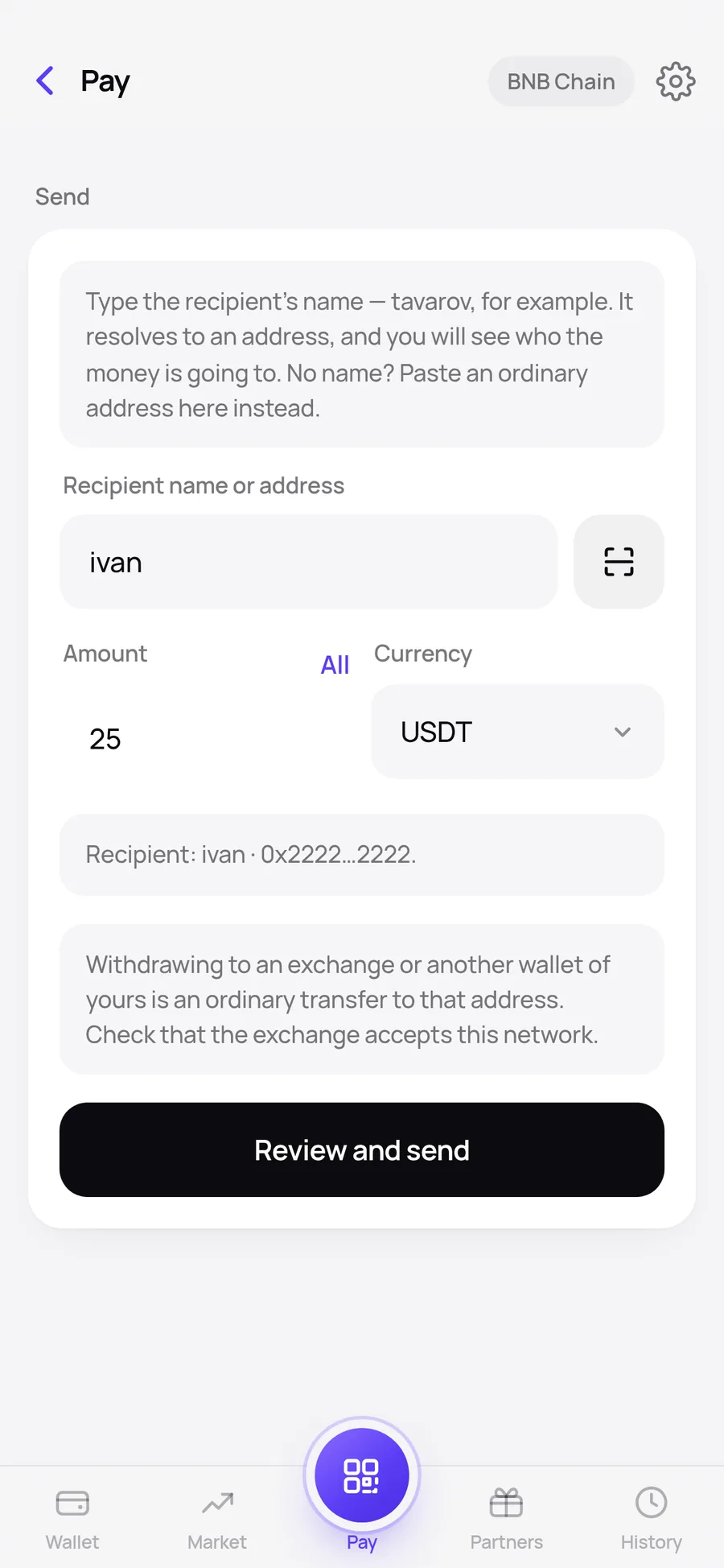
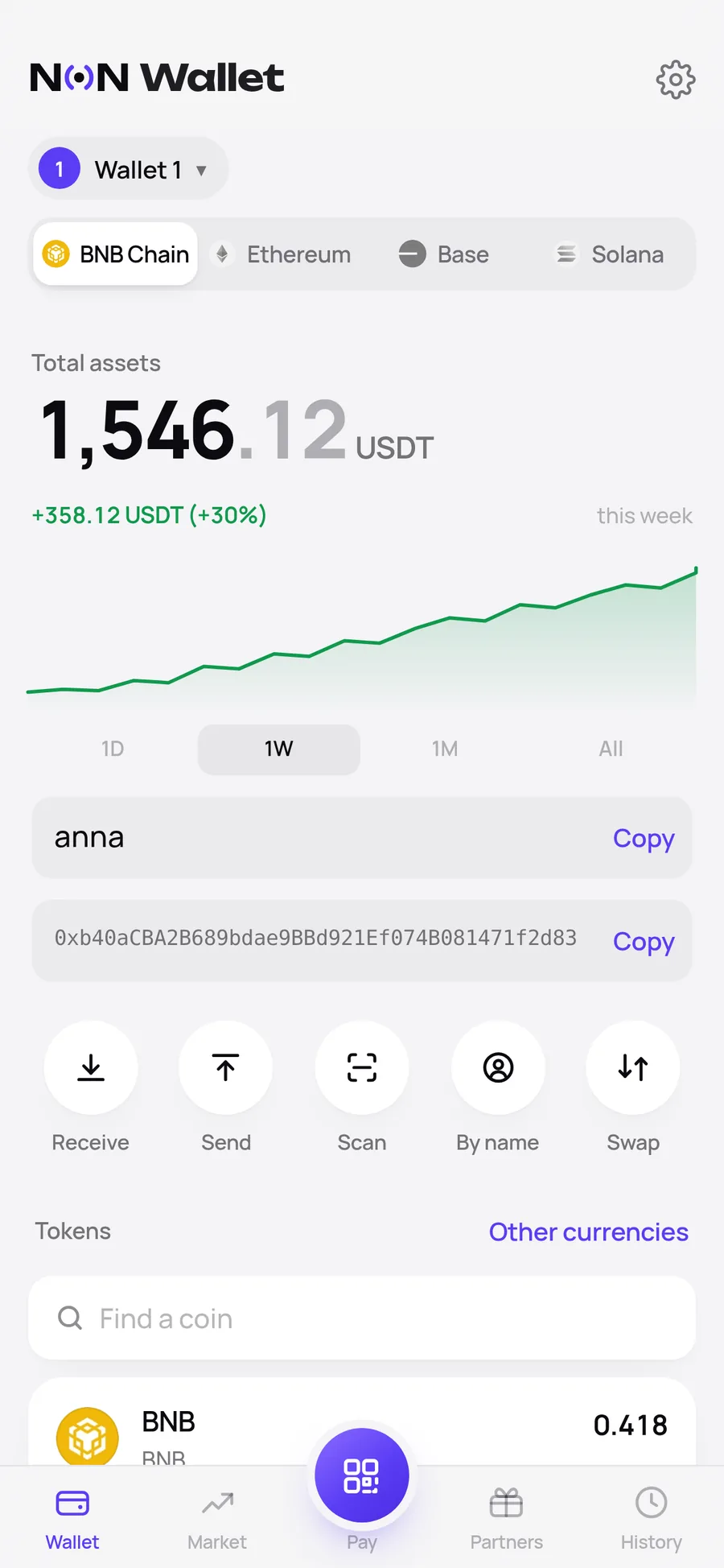
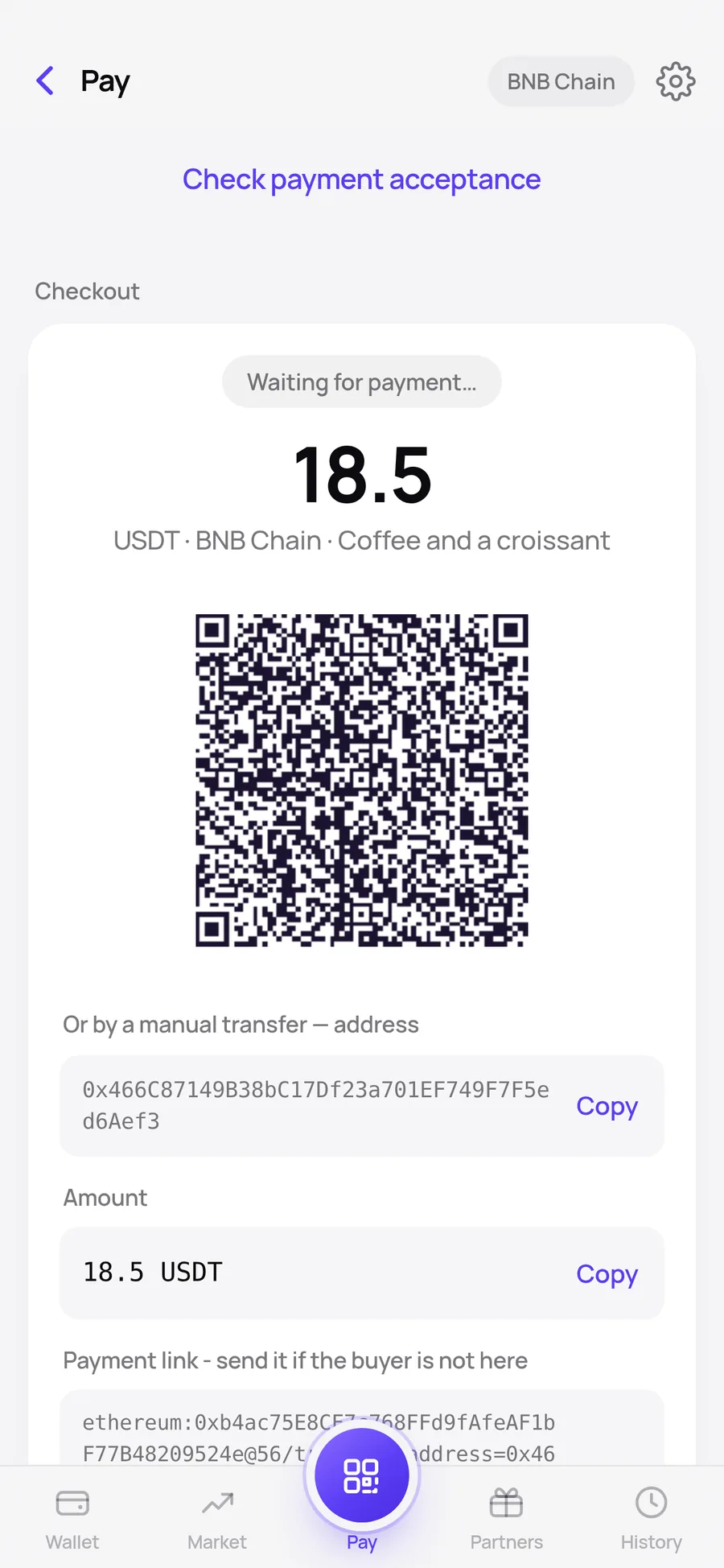
USDT & USDC · Four networks
Less getting in the way.
More getting on with it.
The essentials for moving your crypto.
A clear place to see what’s yours.
Send. Receive. Pay.
Send to an address, receive with your QR code, or scan a Tavarov Pay request to pay for a purchase.
Your keys are yours.
You control the recovery phrase. Save it safely: we cannot recover your wallet or reset it for you.
Stay where your crypto is.
Manage crypto on Solana, BNB Chain, Ethereum, and Base. Swaps and cross-network routes are available where supported.
A closer look.
Before you open it.
A short walkthrough from our project archive.
The wallet is yours to explore.
Illustrated product overview. Example balances shown.
A WALLET. AND A WAY TO GET PAID.
Running a business?
Meet Tavarov Pay.
Open the merchant dashboard from NoN Wallet and create your API key. Connect your store, web cashier, or custom checkout.
See how to get startedManage your assets, send transfers, and pay.
Accept payments with invoices, a cashier, a WooCommerce plugin, or the API.
Customers may use NoN Wallet or another compatible wallet. There is no required customer download.
Ready when you are.
Open it in the browser.
Or take it with you on Android.
In your browser.
Use NoN Wallet on your computer or phone. On iPhone, open it in Safari and add it to your Home Screen.
Open NoN WalletKeep your recovery phrase safe before changing devices or clearing browser data.On Android.
Download the APK directly. Check the version and file fingerprint before installing.
Download Android APK ↓Version 1.1.4 · 7.3 MBSHA-256
7f46b8a60646cd6c3b7a99d9bb8f83d098b138bb4bb00e75442cdafc6a0f8a23Before you start.
Are NoN Wallet and Tavarov Pay the same product?
They are separate products. NoN Wallet manages your crypto. Tavarov Pay helps businesses accept payments. You can access the Pay dashboard through NoN Wallet, while customers can pay from other compatible wallets.
What does the wallet cost?
The wallet is free to open. Blockchain network fees apply. Tavarov Pay payments have a 1% service fee paid by the seller. Wallet swaps and cross-network transfers include a 0.5% project fee; review the complete quote before confirming.
Can you restore my wallet?
No. We cannot restore your wallet without the recovery phrase or a supported backup. Save your recovery phrase offline and never share it with support or enter it on another website.